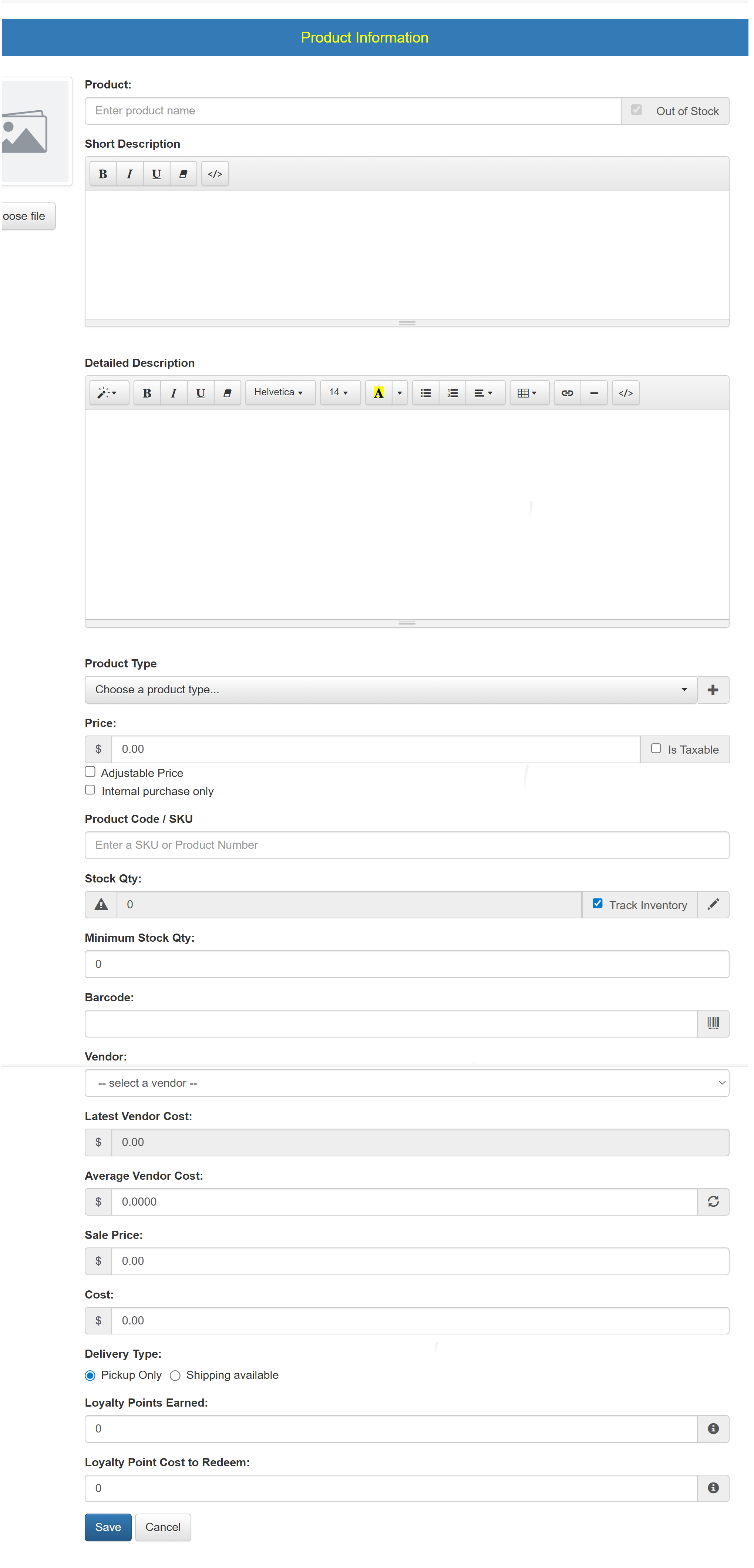
How to Set Up a New Product
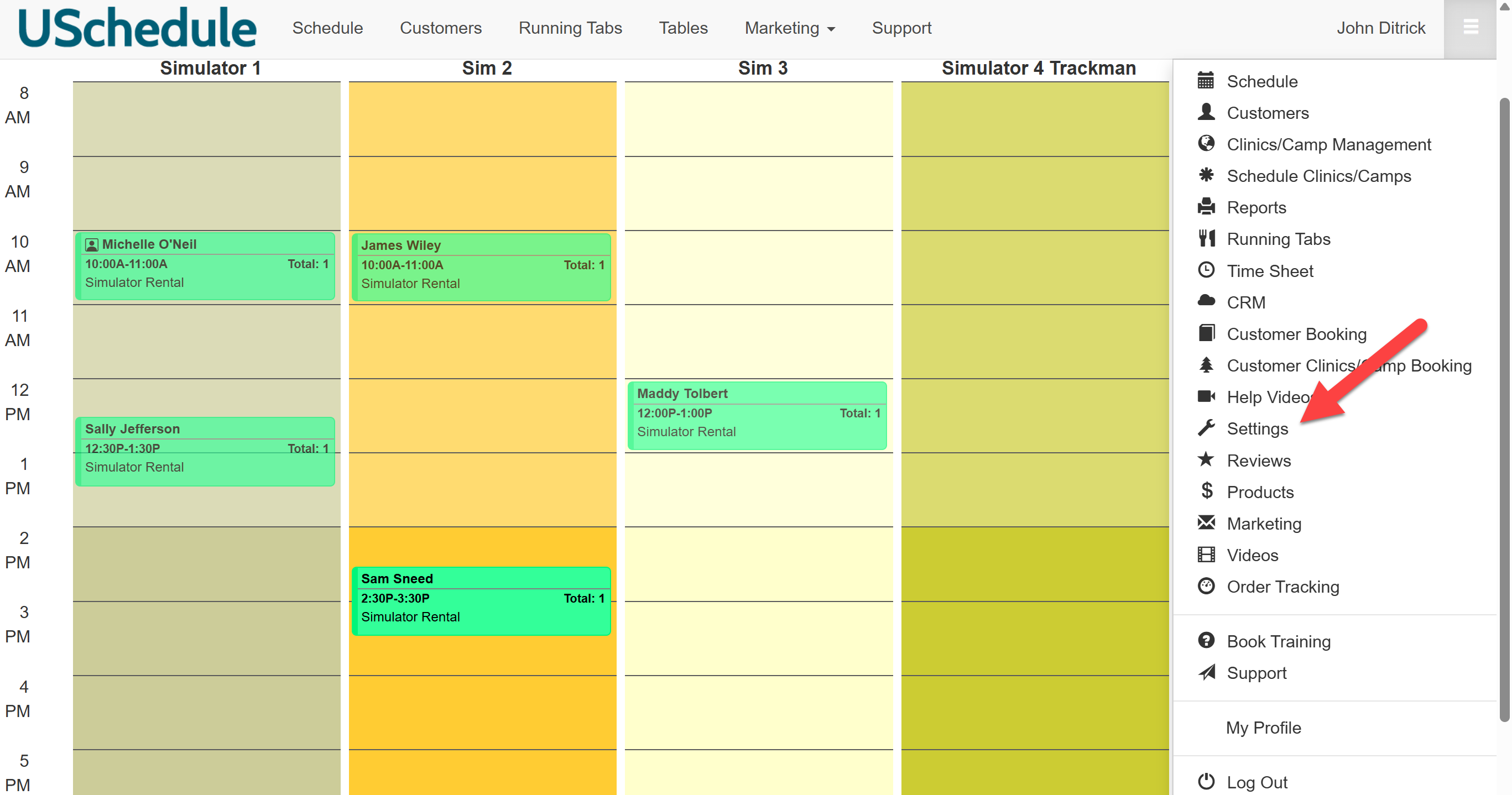
To set up a new product, click on Settings:
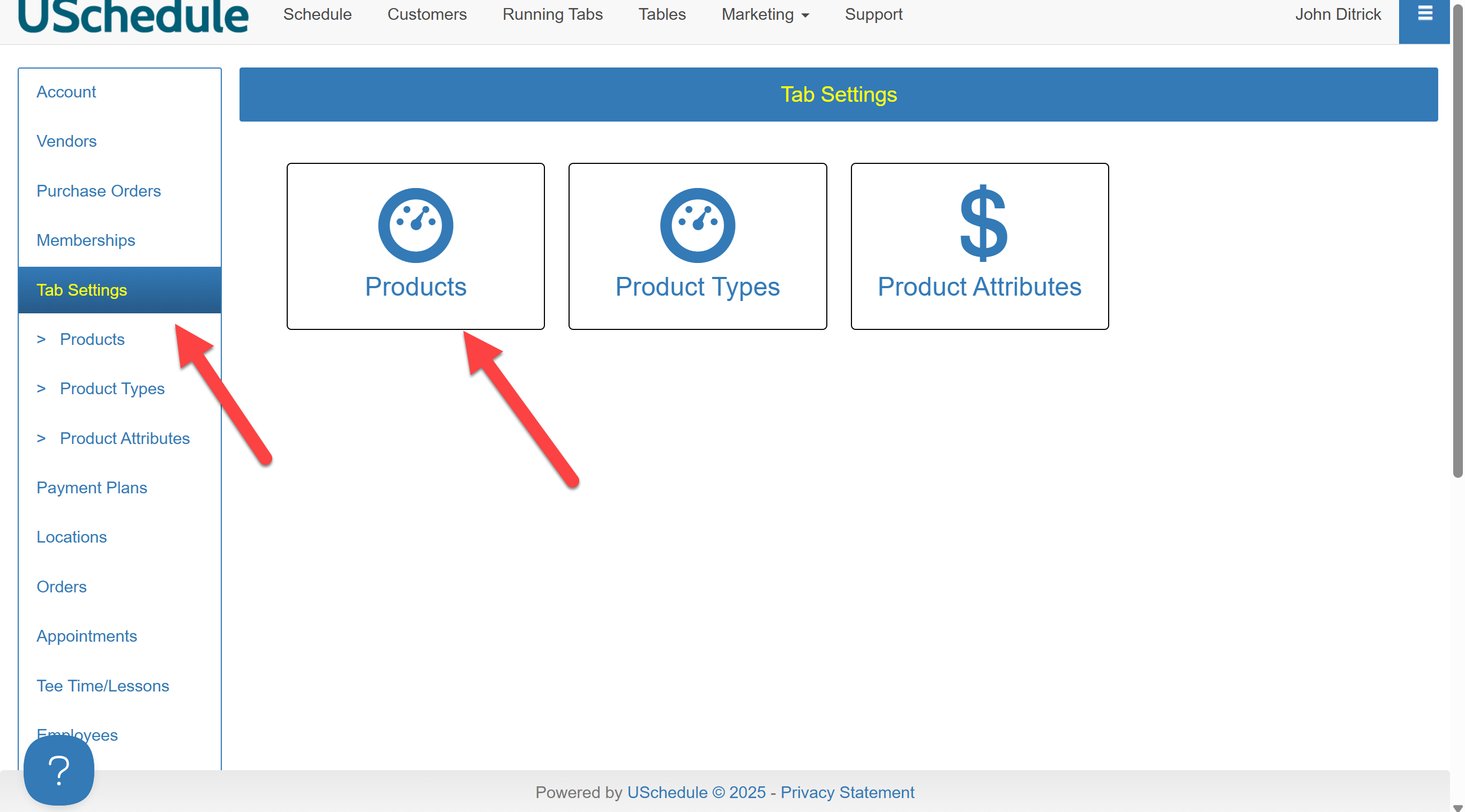
Click on Tab Settings in the left-hand sidebar, then click on Products:
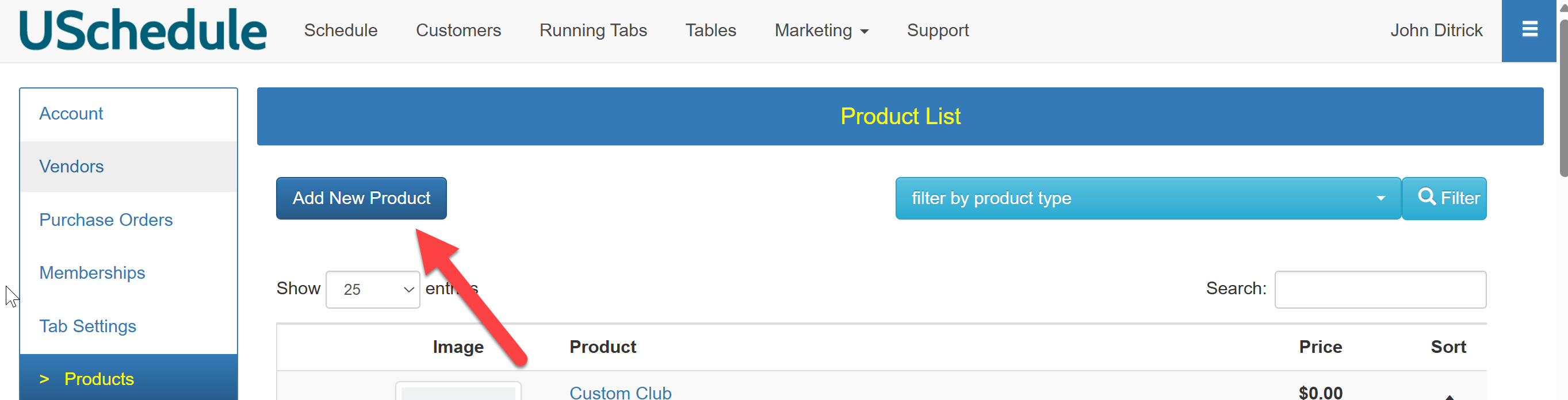
Click Add New Product.
Enter the product name, upload a picture, and provide a short description along with a more detailed description if desired. Next, click the dropdown menu and select the type of product you are adding. Enter the price of the product, and whether it is taxable. Continue to add the following information, and click Save once all information has been entered.