
How to Add a Product Type
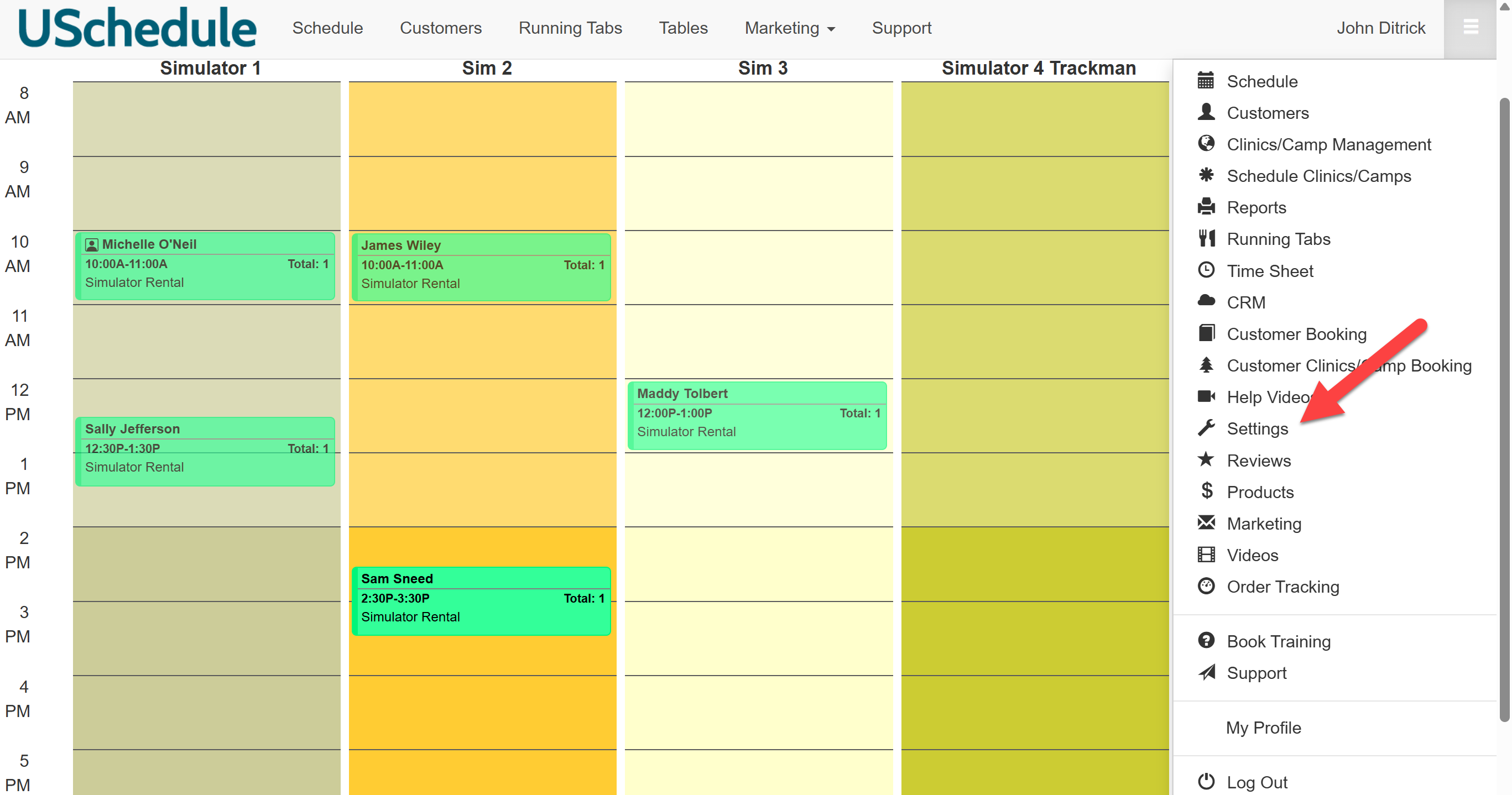
To add a product type, click on Settings:
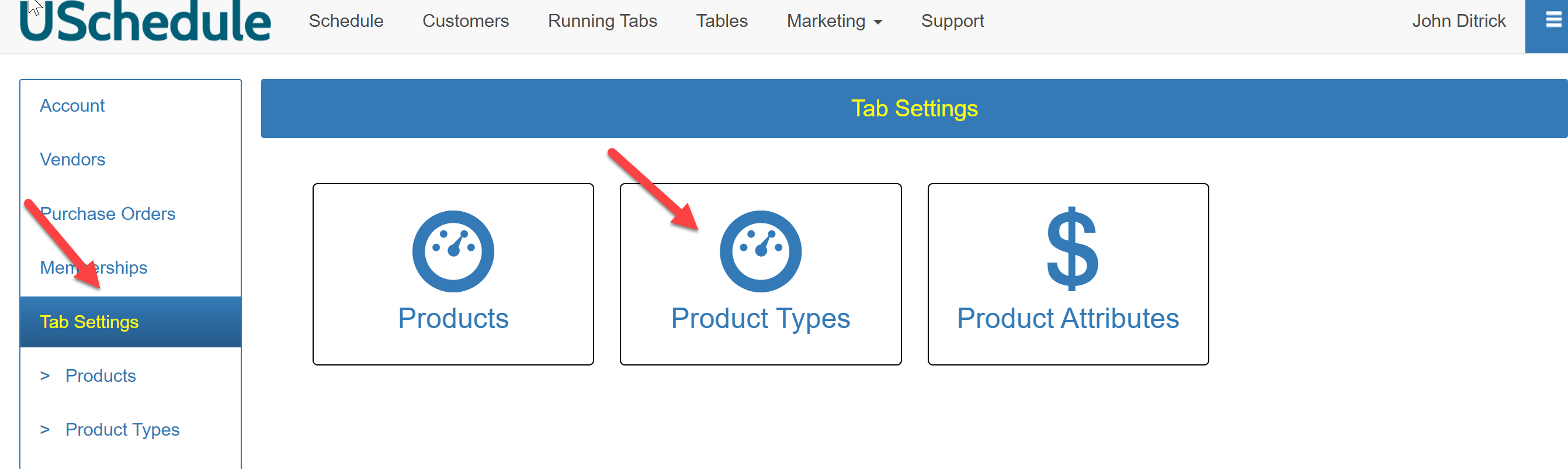
Click on Tab Settings in the left-hand sidebar, then click on Product Types.
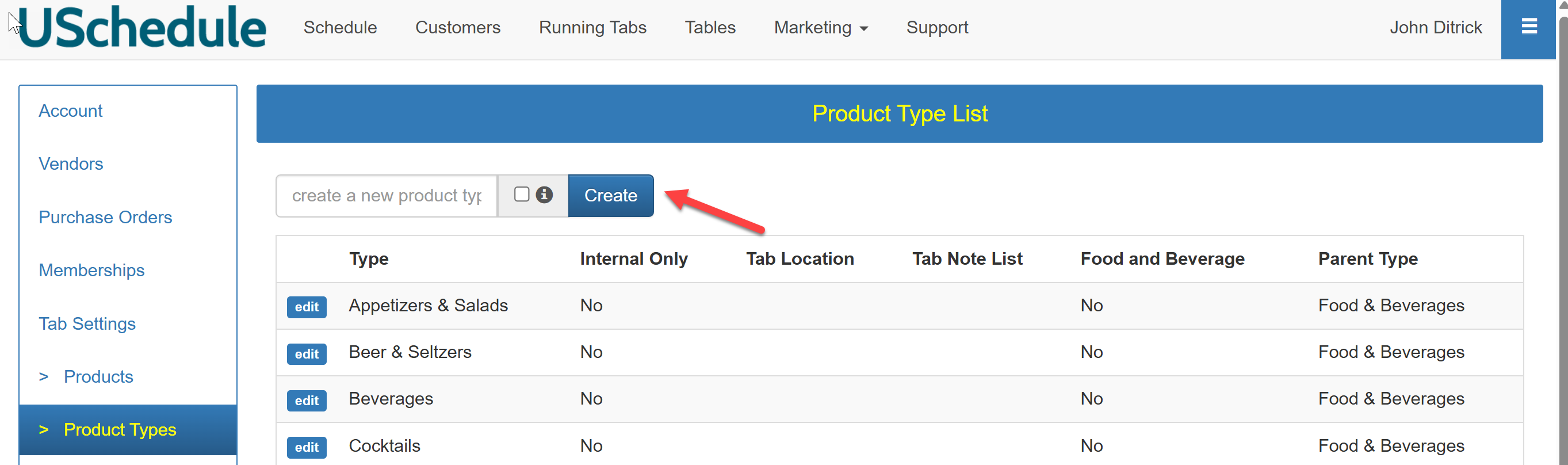
The next screen will show a Product Type List. Enter the new product type you would like to add and click on the Create button to create the new product type:
Next, edit the new product type you have created (Golf Attire):
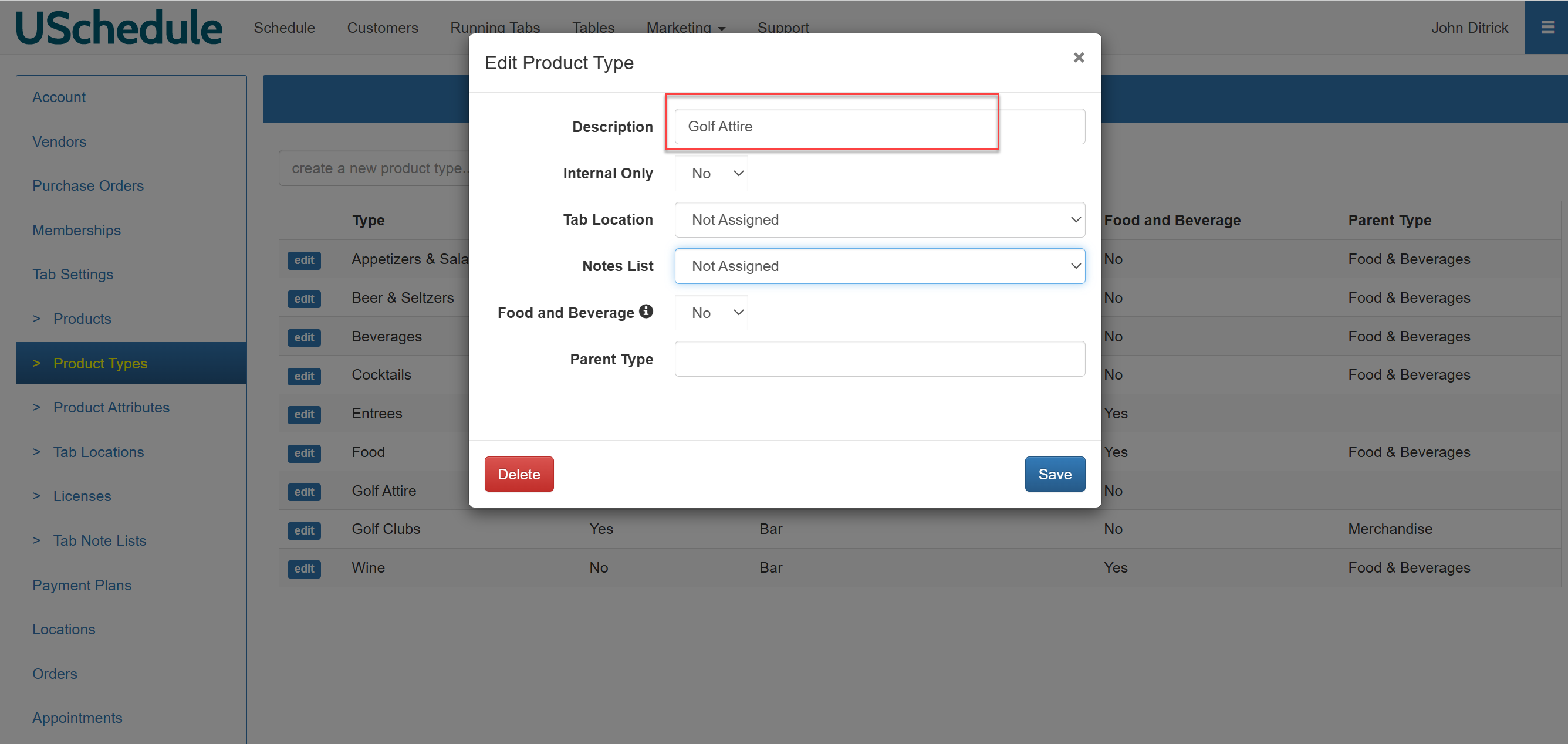
Here you can add a brief Description of the new product type, and whether it will be Internal Only (Categories by default are internal only. Choosing "No" will enable customers to filter the product list by this category). Enter a Tab Location (if desired), Notes List, whether the product is Food and Beverage (if set to yes, these items will only show ordering from a tab), and Parent Type.
Once you have entered the desired information, click Save.