
How to Set Up a Golf Lesson Service
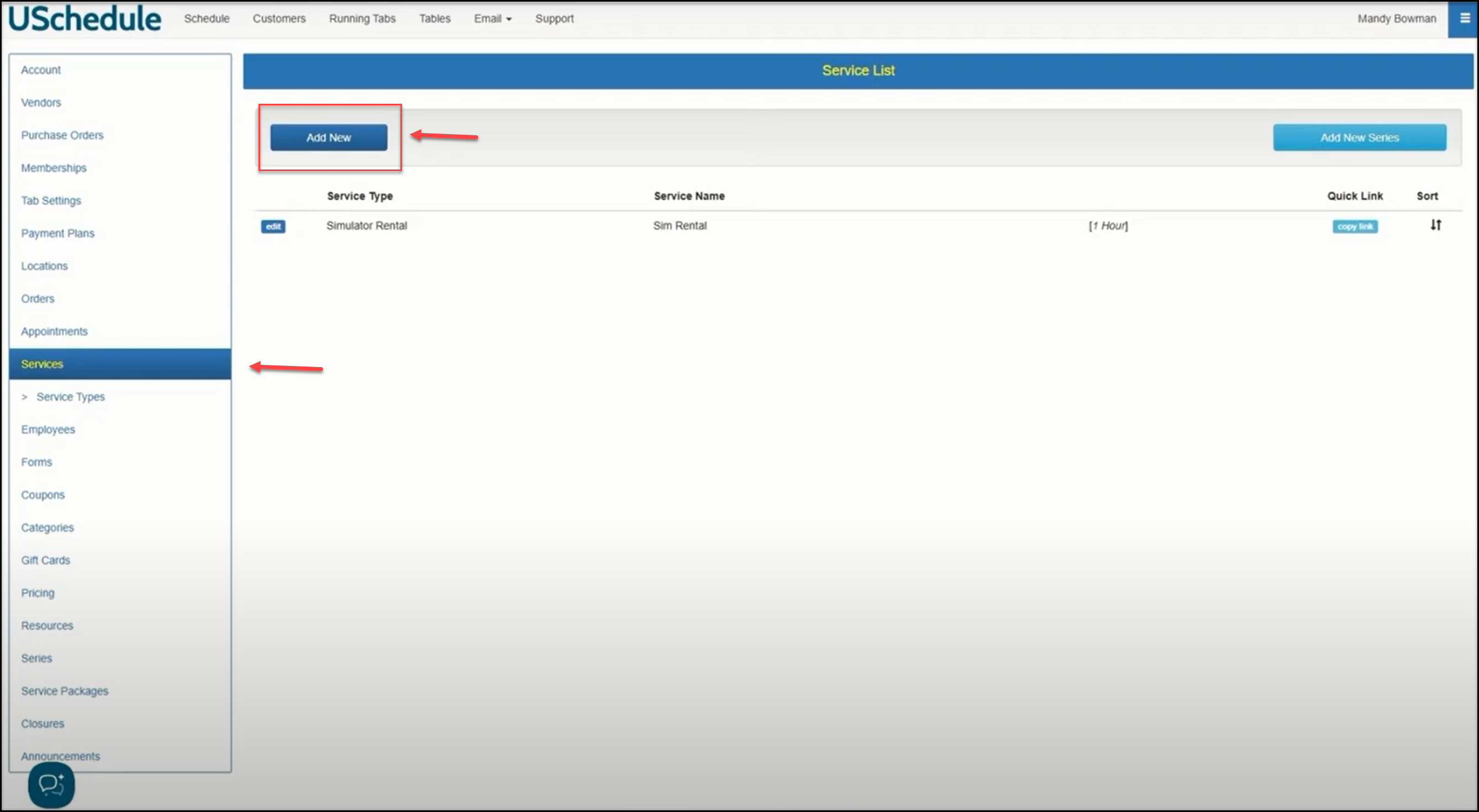
On your Services menu, click the Add New button:
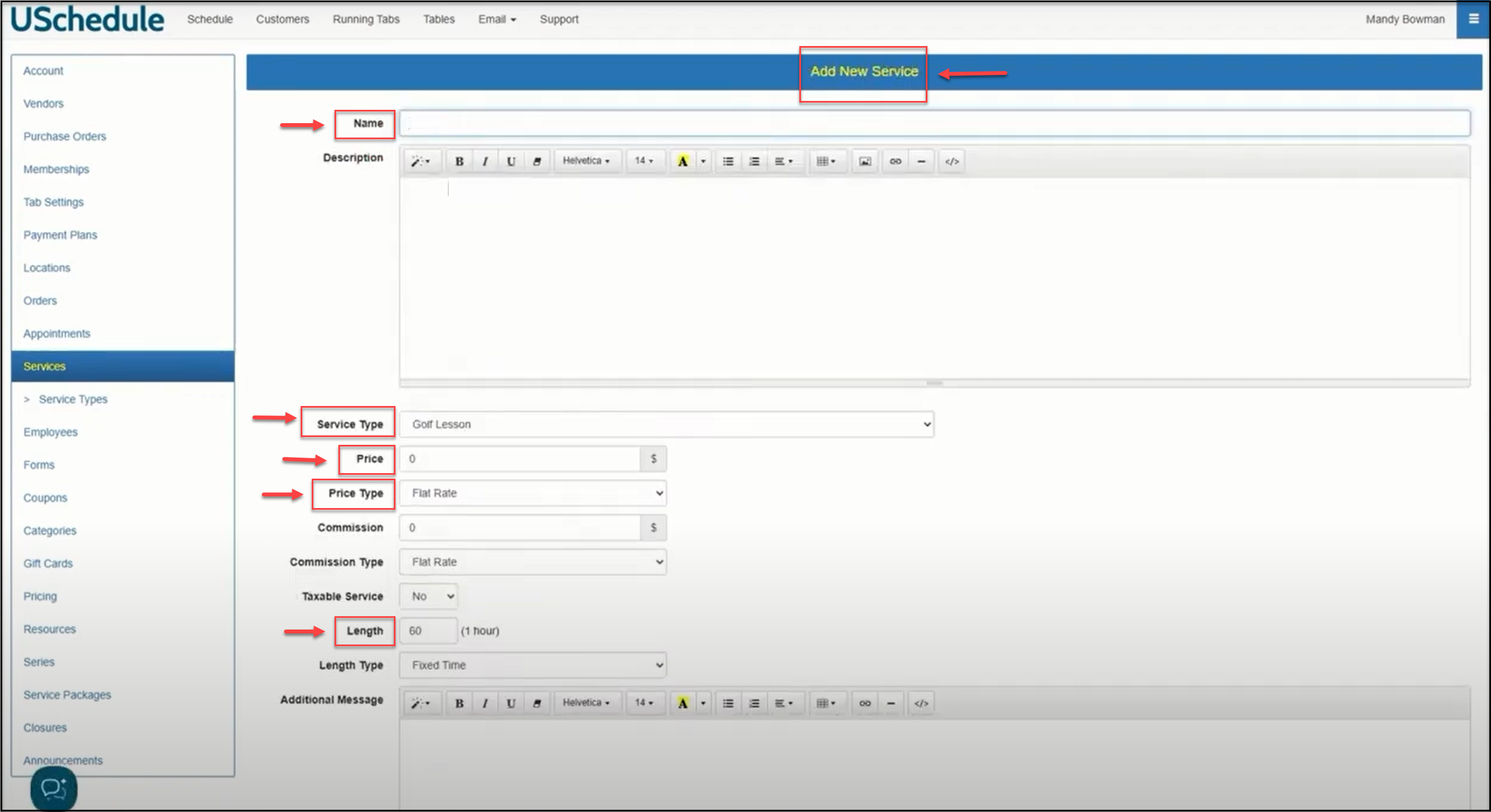
Enter a Name for the New Service, set the Service Type, Price and Price Type, and the Length of the service:
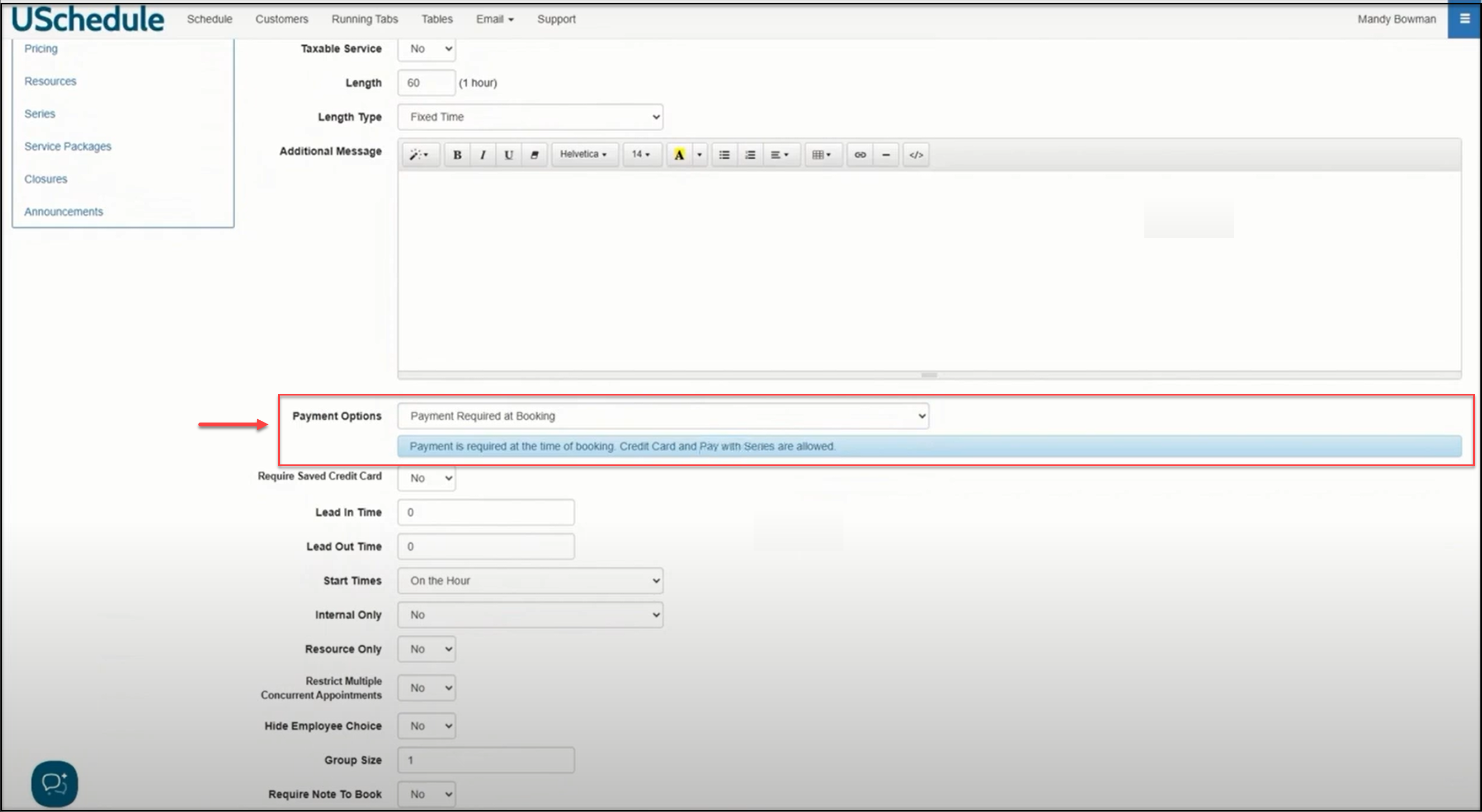
If you want to require your customers to pay upon booking a golf lesson, under Payment Options select Payment Required at Booking. This will require a customer to pay using a credit card or to pay using a series:
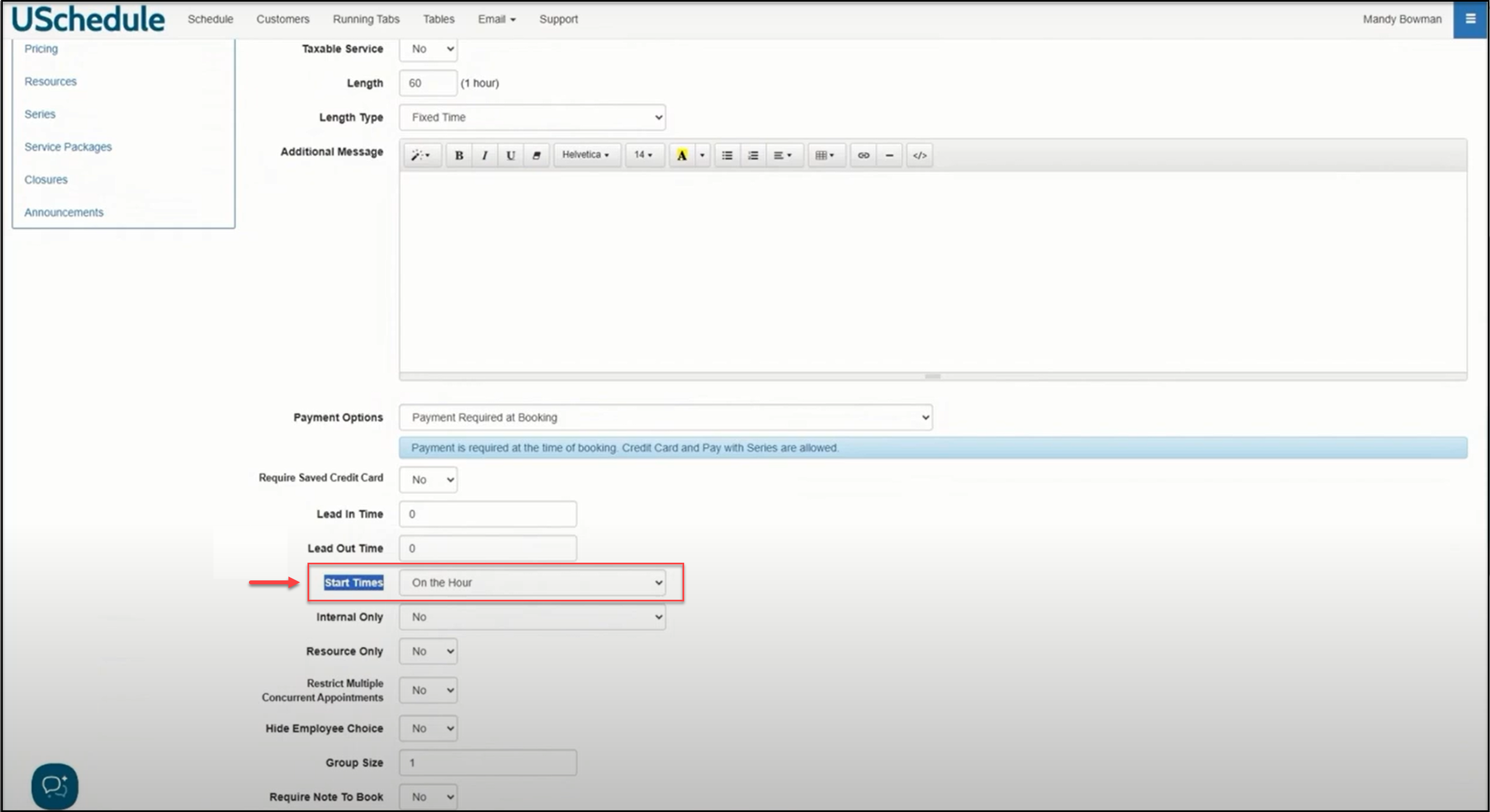
Choose the Start Time you would like to set for your customers to book a lesson:
With all of your settings in place, click the Save button at the bottom of the page. Once saved, you will need to set the Availability for this new service:
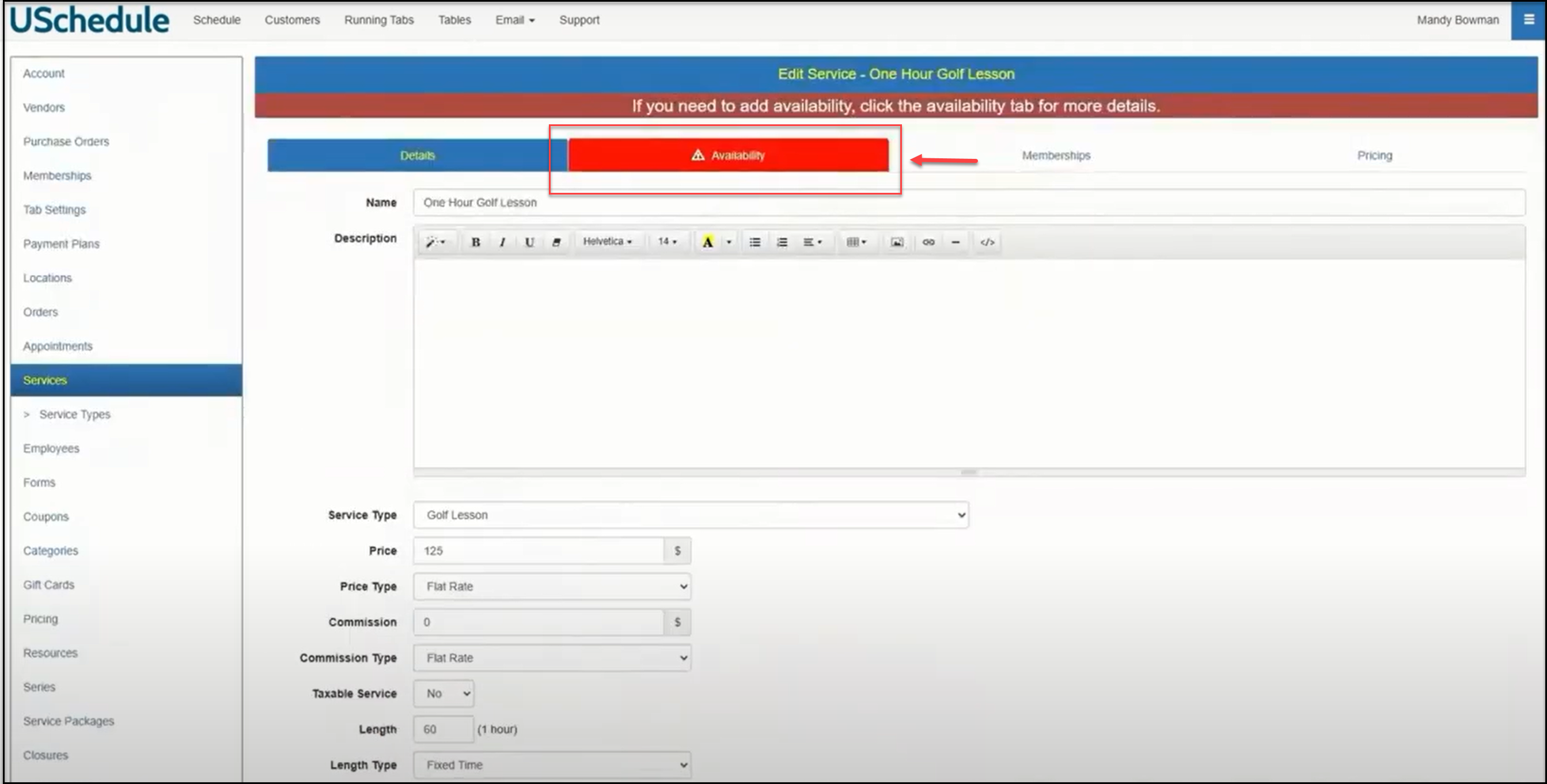
Any time you create a new service, you will need to add availability for the service:
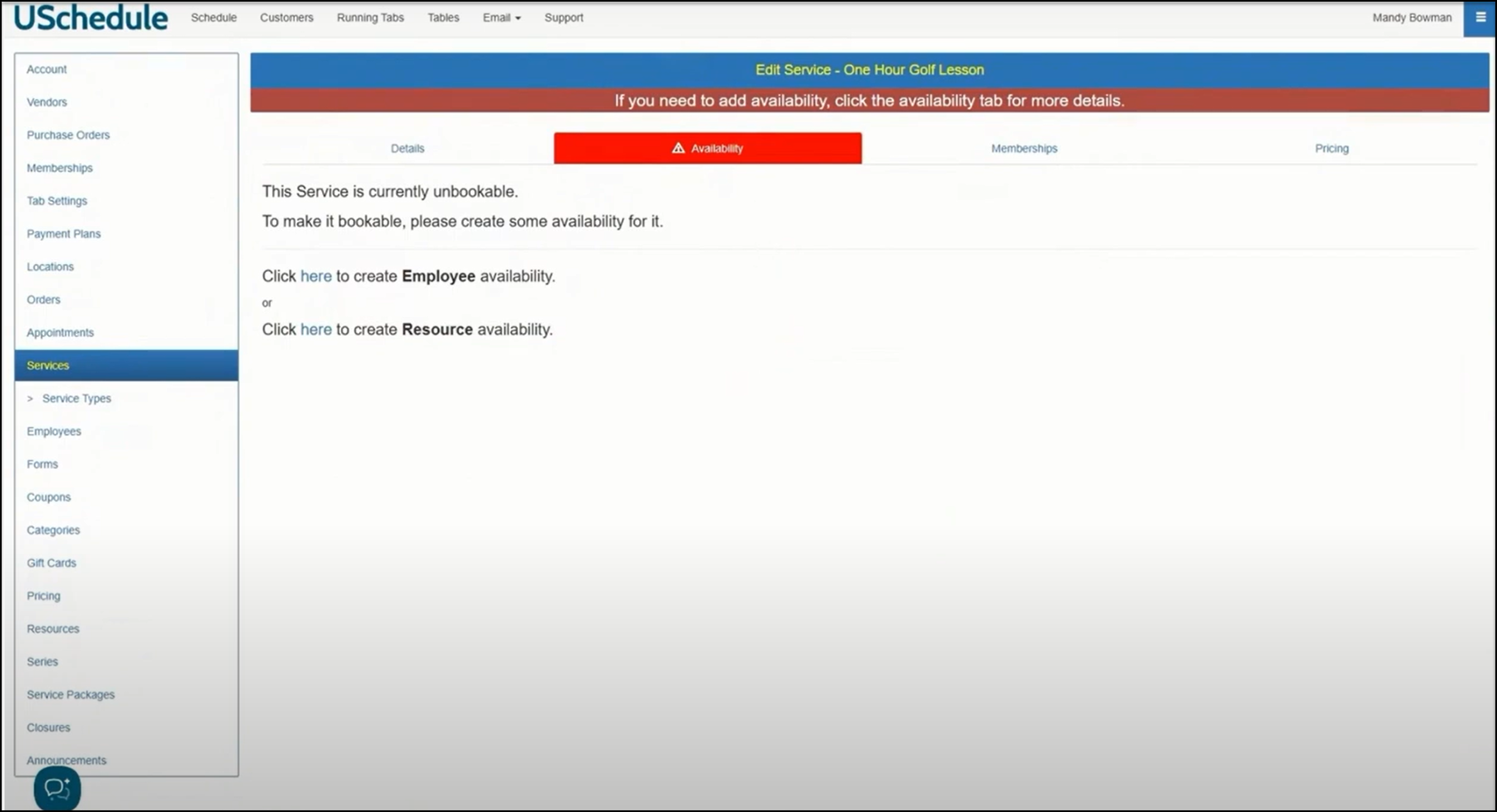
Please refer to one of our help videos showing how to set up employee availability for your new service.