Using Categories for Email Marketing
In your Email options, click on Send Emails:

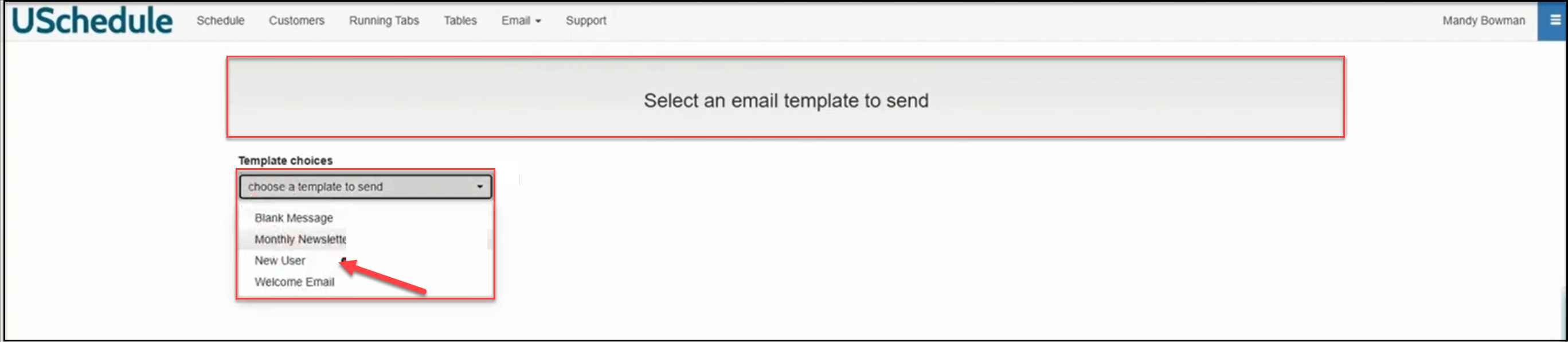
Next, choose a template to send:
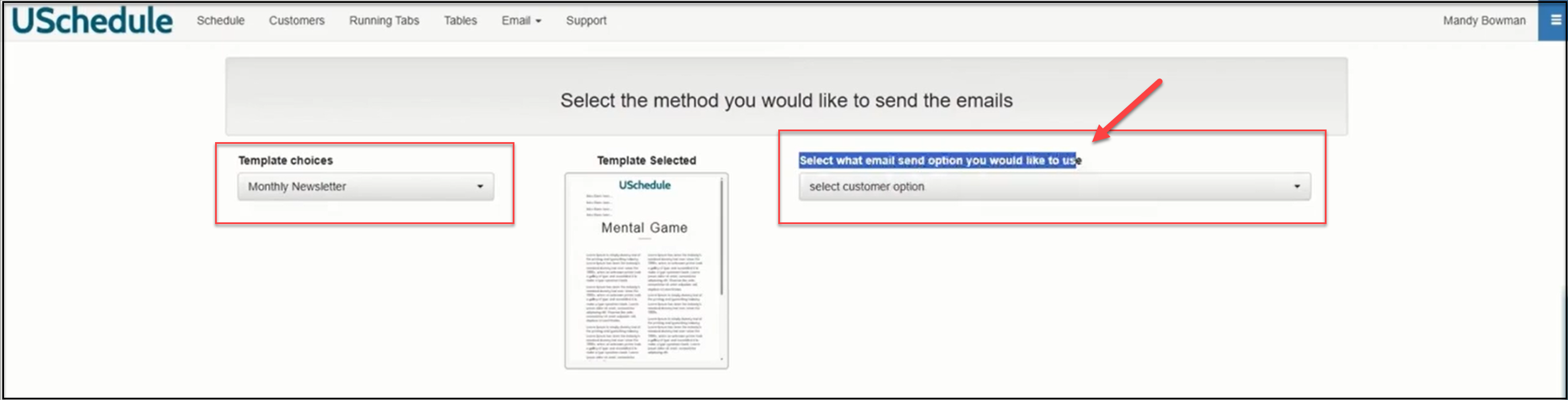
Select the e-mail send option you would like to use:
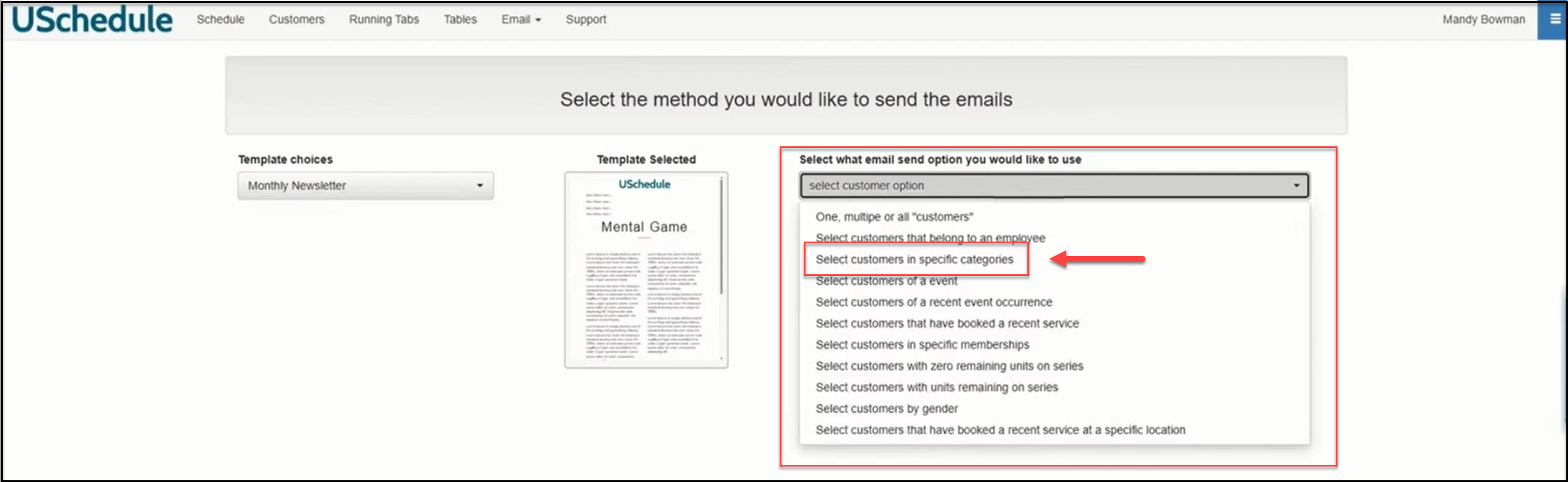
Click on Select customers in specific categories:
Next you will have an option to select the categories:
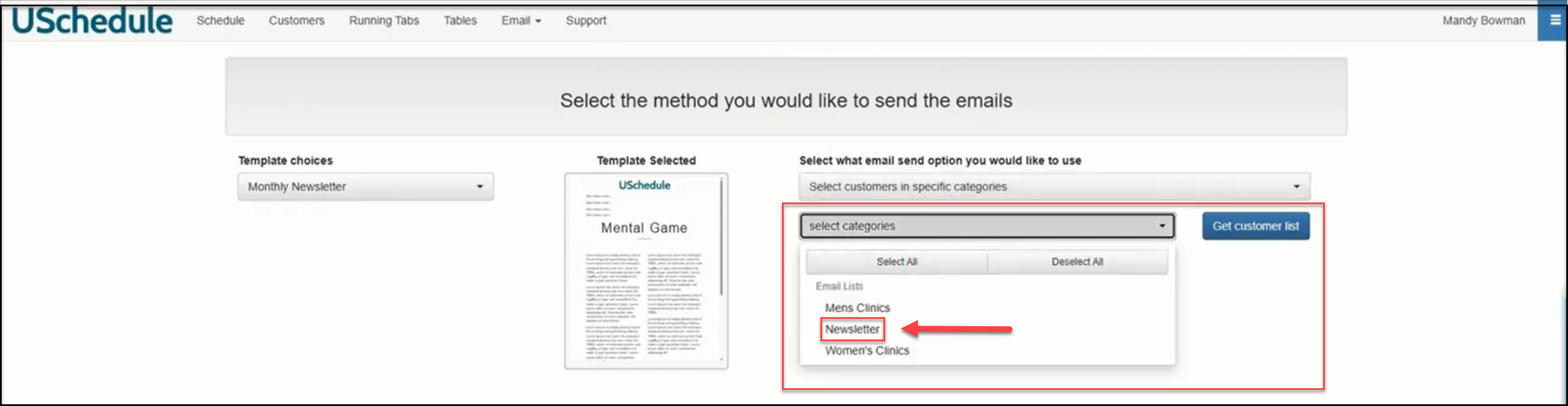
Select Newsletter and click Get customer list. This will reveal everyone who has selected that category in their profile:
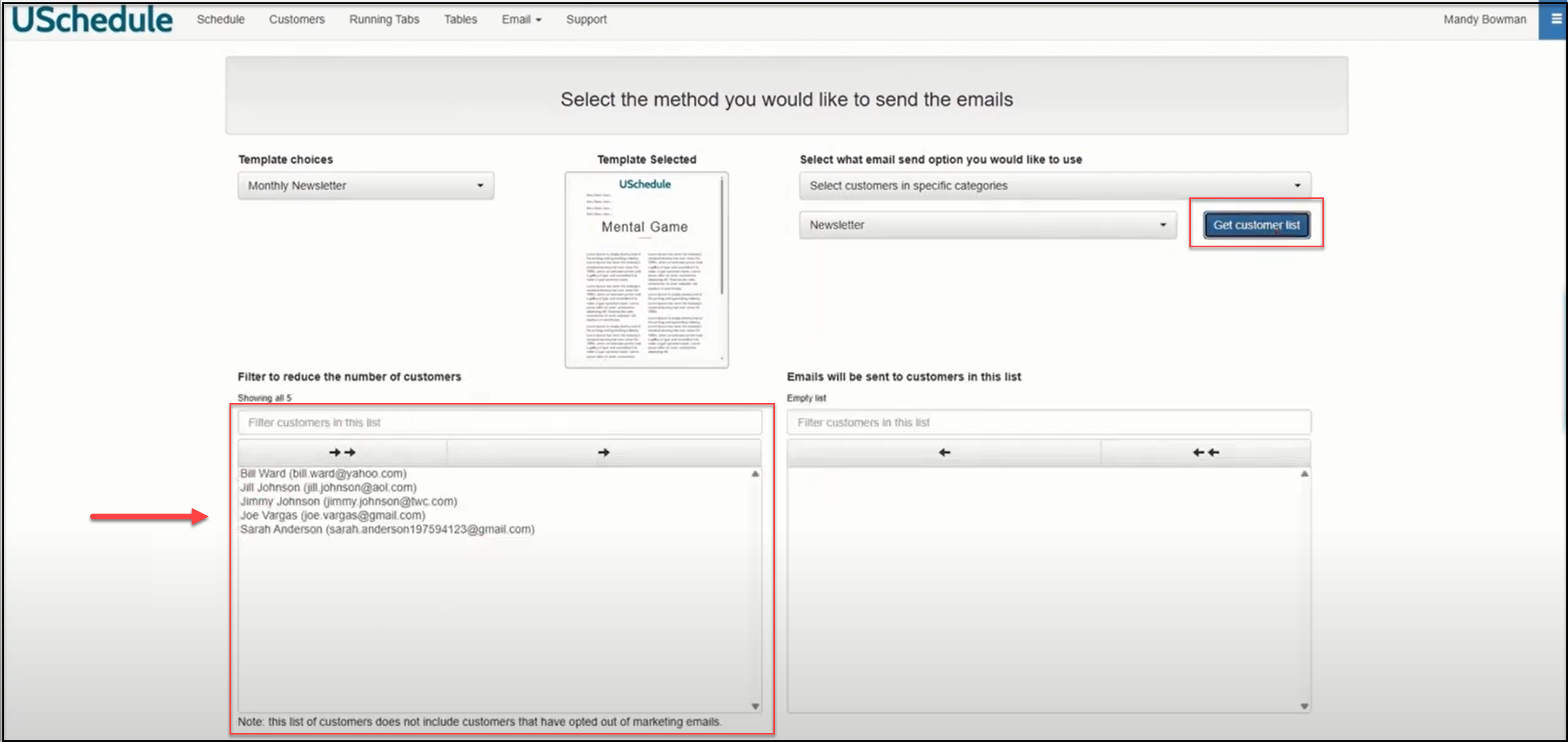
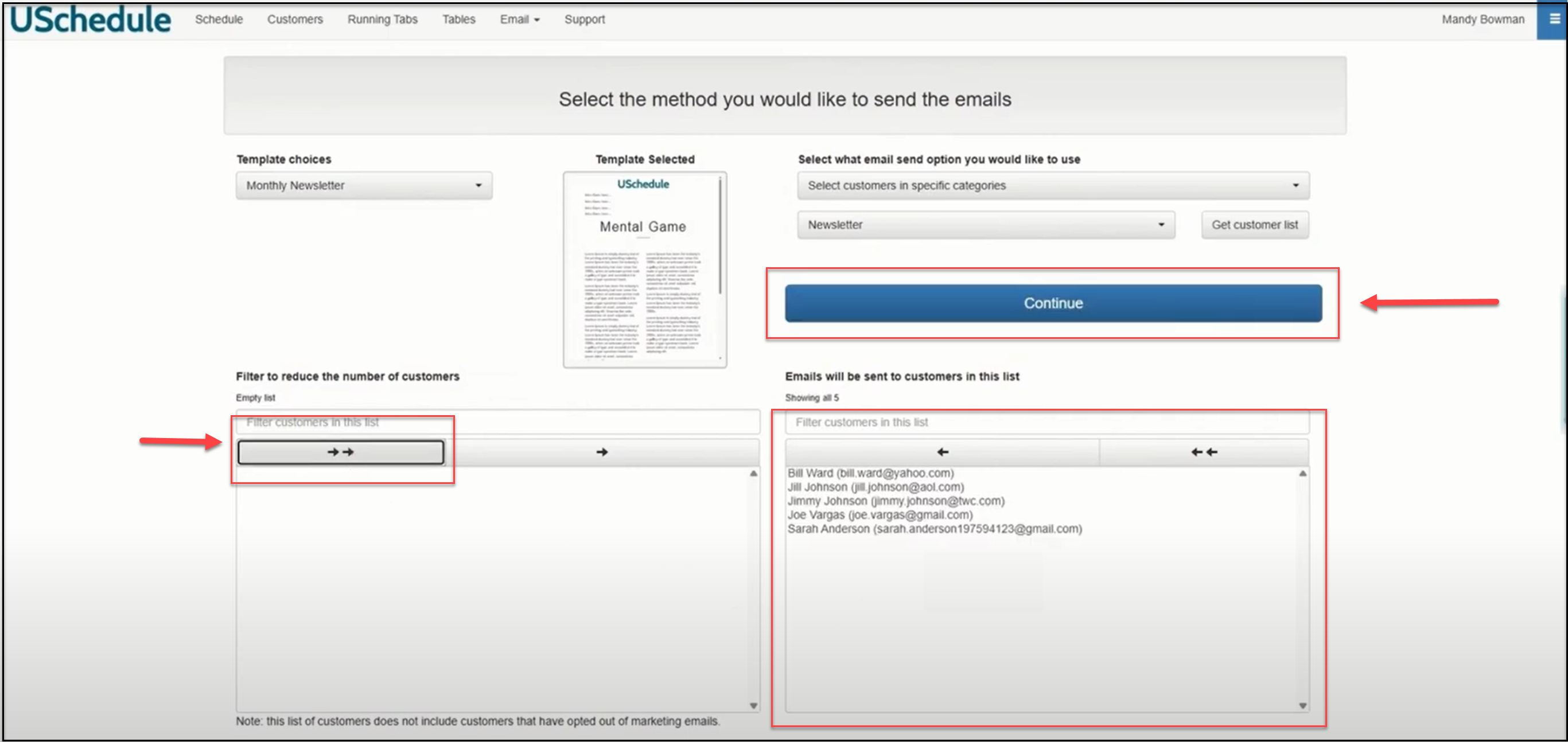
If you want to send the newsletter to everyone on the list, click the double arrow button. This moves those over to the selected list. Click Continue:
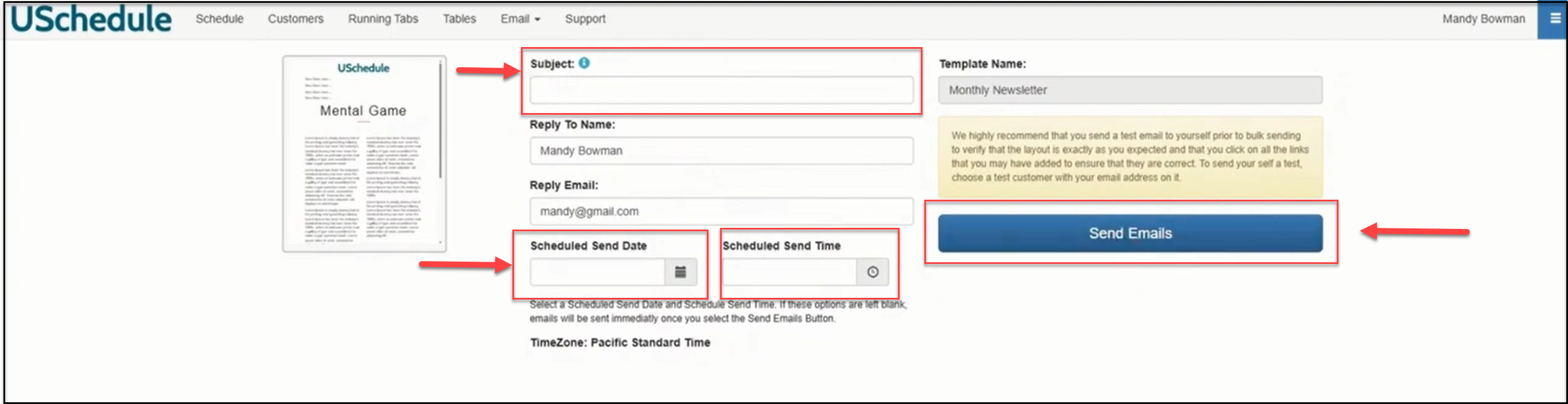
Add your Subject, and you can include a Scheduled Send Date and a Scheduled Send Time.
If you leave those blank, you can send the e-mail immediately. To finish, click Send Emails.