How to Sell a Membership to a Customer that is Sales Tax Exempt
If you have a customer that is sales tax exempt and they would like to purchase a membership, you can set that up in one of two ways:
1) The Running Tabs feature has an option to exclude tax at checkout. If you do not have that feature enabled in your account, you can use the following method to remove tax:
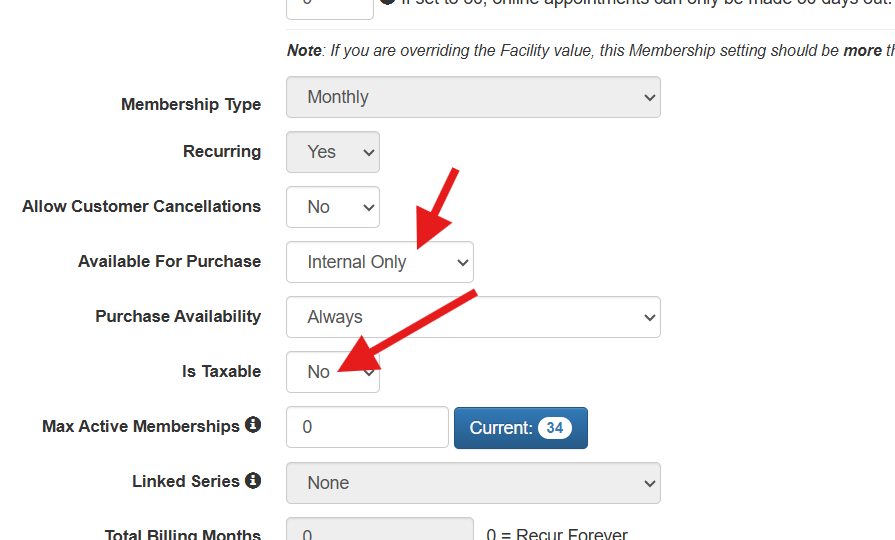
2) On the membership, set Available for Purchase to "Internal Only". This will prevent customers from buying this membership while you have the tax turned off.
Set Is Taxable to "No". See screenshot below.
Make the sale for the customer that is tax exempt.
When finished, reset the Available for Purchase and Is Taxable settings to your preference.