Custom Labels and Naming
You can create custom labels and names for your USchedule site to personalize the naming conventions throughout your site. You can make these changes by following the steps outlined below:
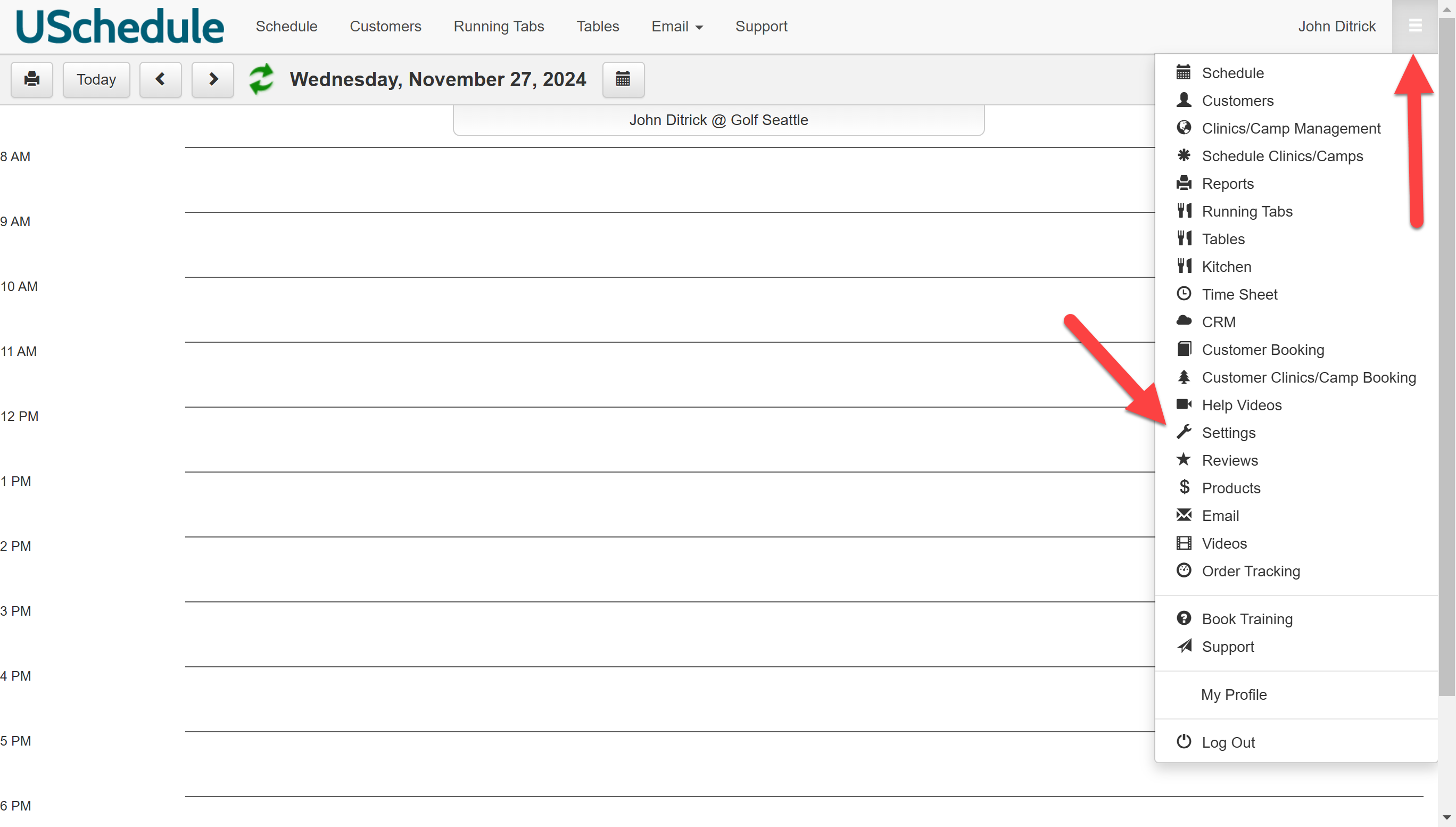
Click on the menu icon, and select Settings.
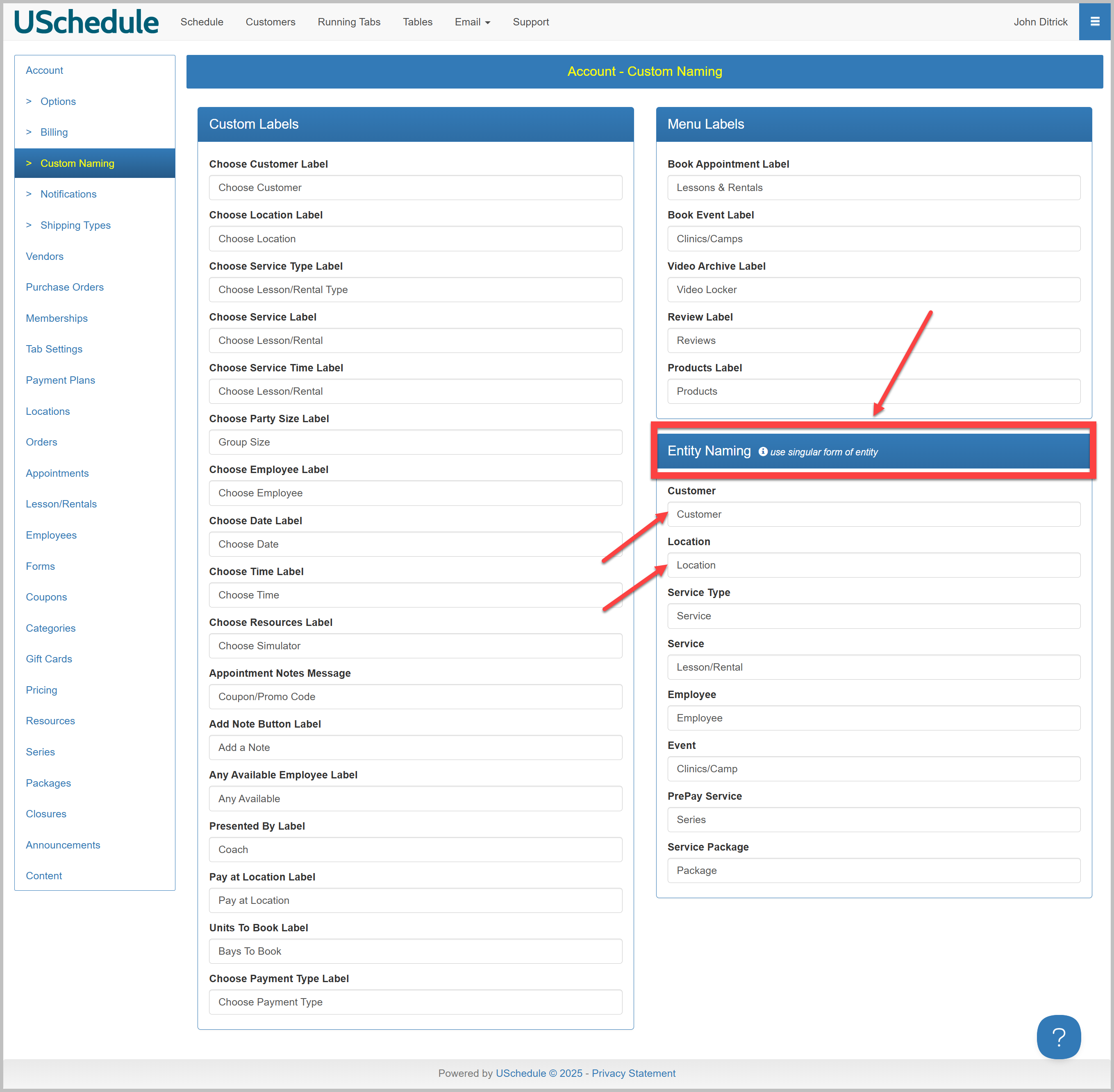
Click on Custom Naming from the menu on the left and type the new name in the box for the label you would like to rename in Custom Labels, Menu Labels, and/or Entity Naming. For example, you can change the label Customer to Member, Guest, Client, or any other naming convention that fits your business needs. Once you change one of the names on the page and leave the field, the new name will be automatically saved.

Please note: the singular form of entity is required in Entity Naming (e.g. Customer, Location, Service, etc):